 Vano
VanoBuilt for van owners
Zero commission
The price you agree with the parent is the price you receive. Vano charges drivers nothing, ever — no registration fee, no cut, no subscription.
Monthly contracts
Not one-off trips. A school route is a monthly arrangement with an agreed price, named children and a fixed schedule, so your income is predictable.
Only routes that fit
Set the areas you pick up from and the schools you already serve. The feed is filtered to those, with the distance on every card.
Verified badge
Once approved, parents see that your CNIC, licence and registration were checked by a person. It is the first thing they look at.
Build a reputation
Families rate and review you after a term. Good reviews sit on your profile and win you the next route without you chasing it.
You name the price
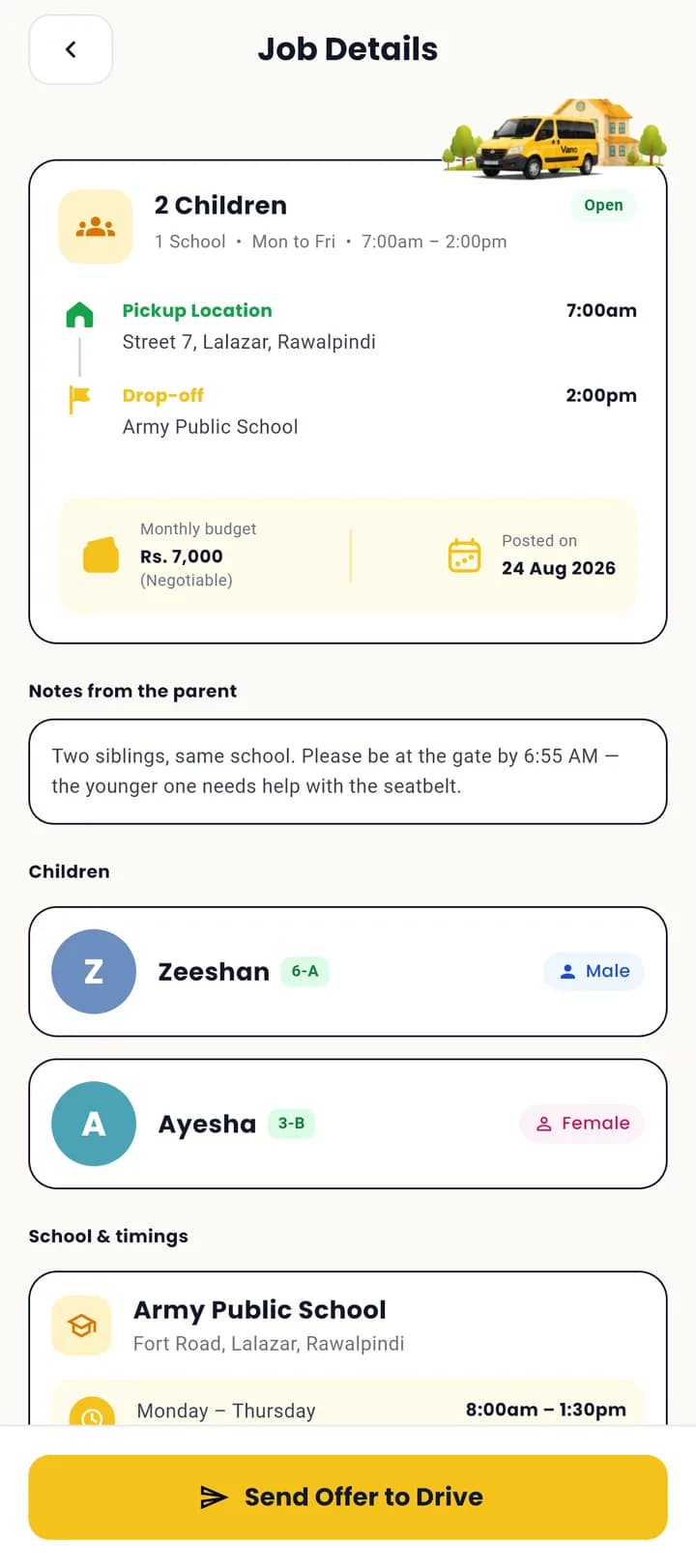
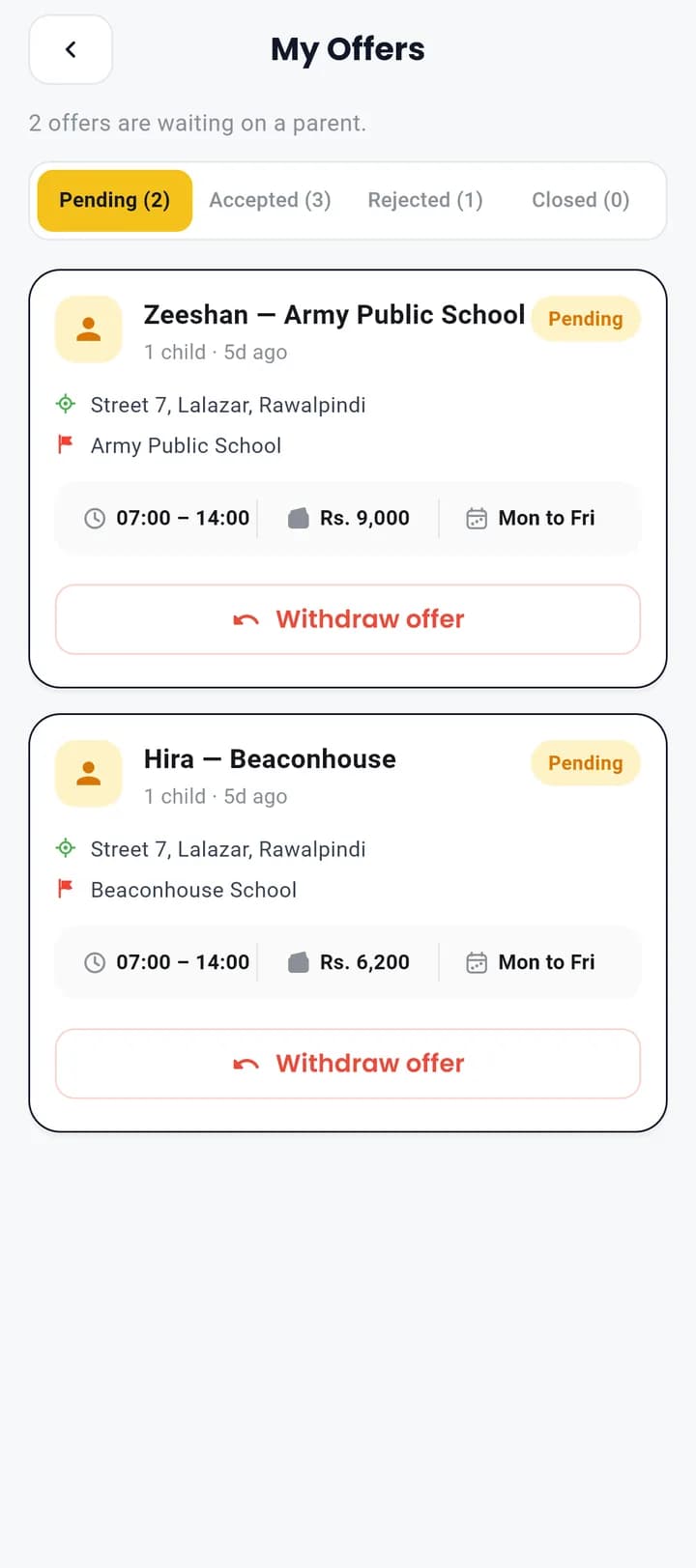
Every route is a bid. Quote what the trip is worth to you, add a message, and revise it if the parent counters.
Talk directly
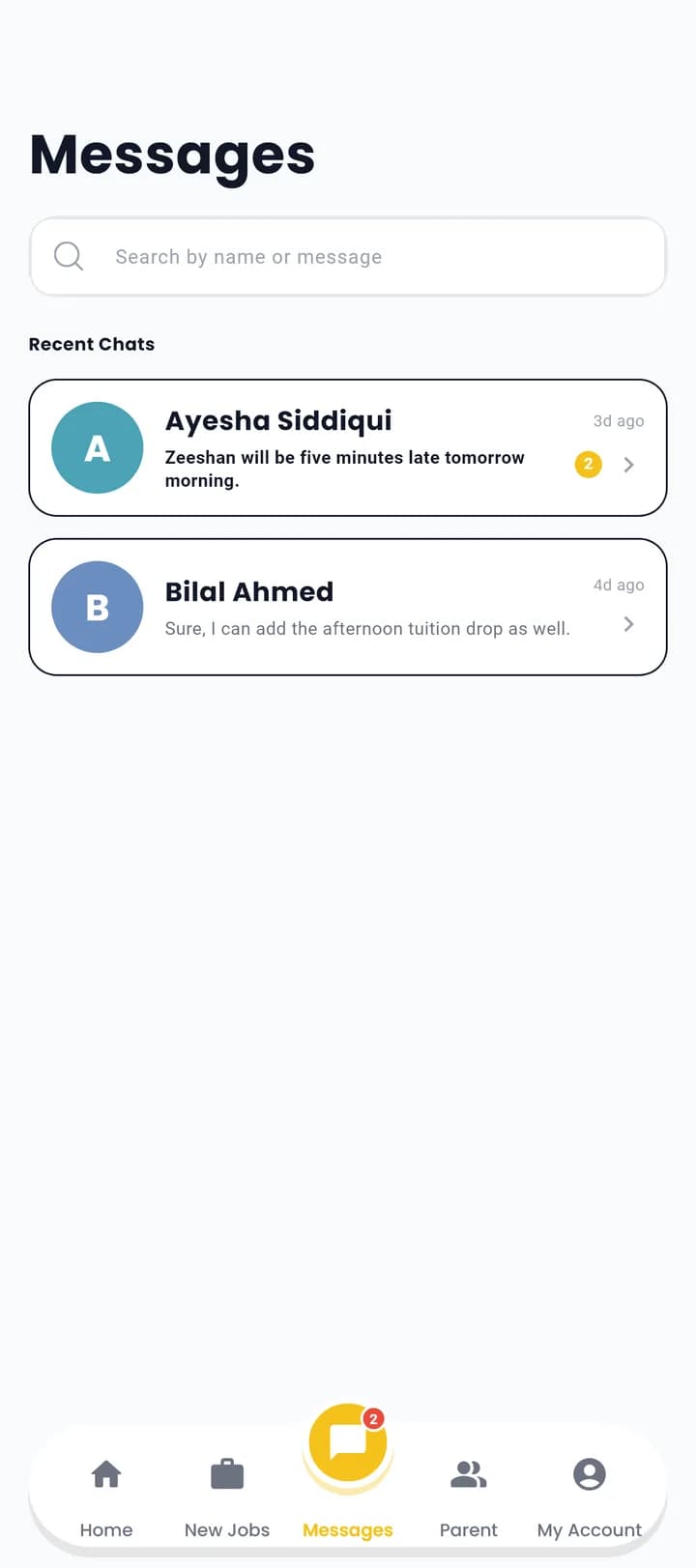
Chat with the family inside the app, from the moment you bid — no middleman relaying a message about a late morning.
Simple daily tracking
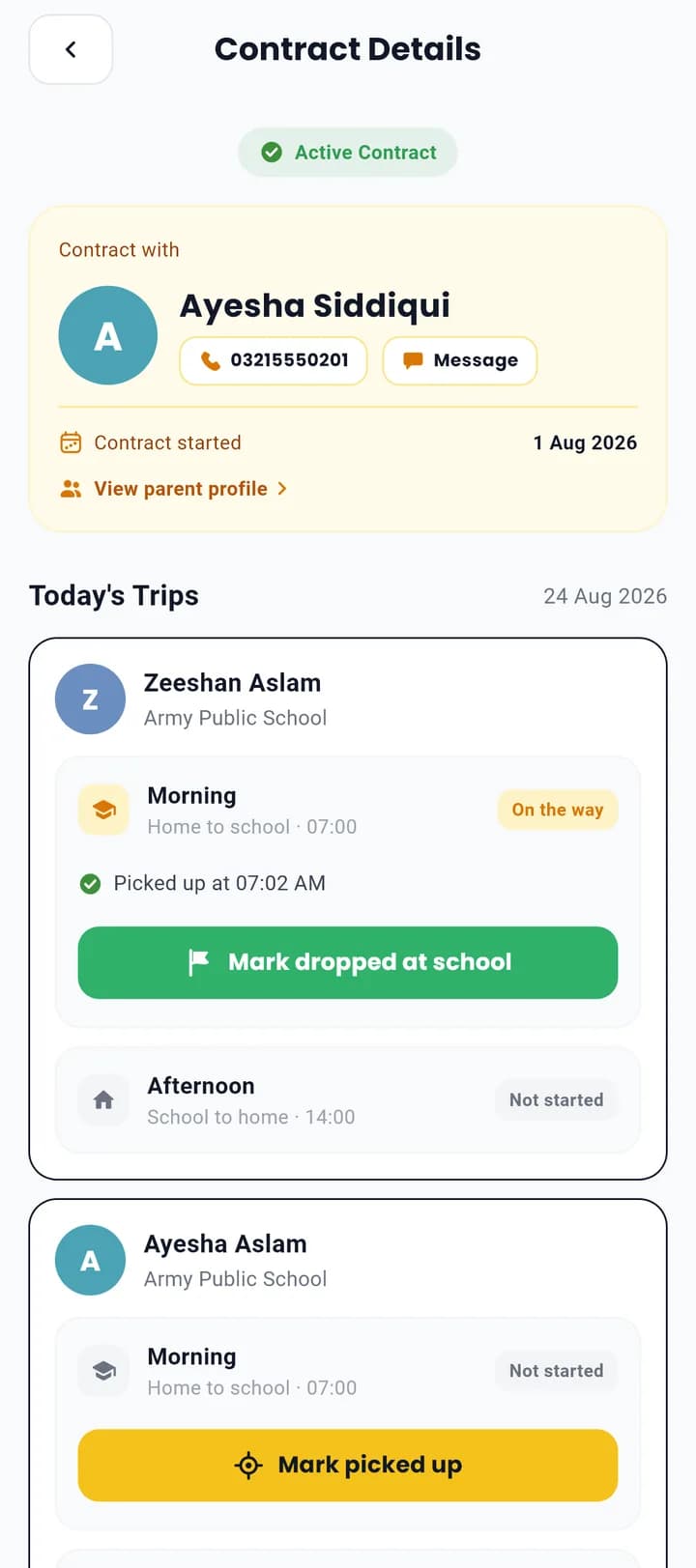
One button per child that turns from Pick to Drop. That is the whole job — the family is notified for you.
What it looks like on your phone
Register, then get verified
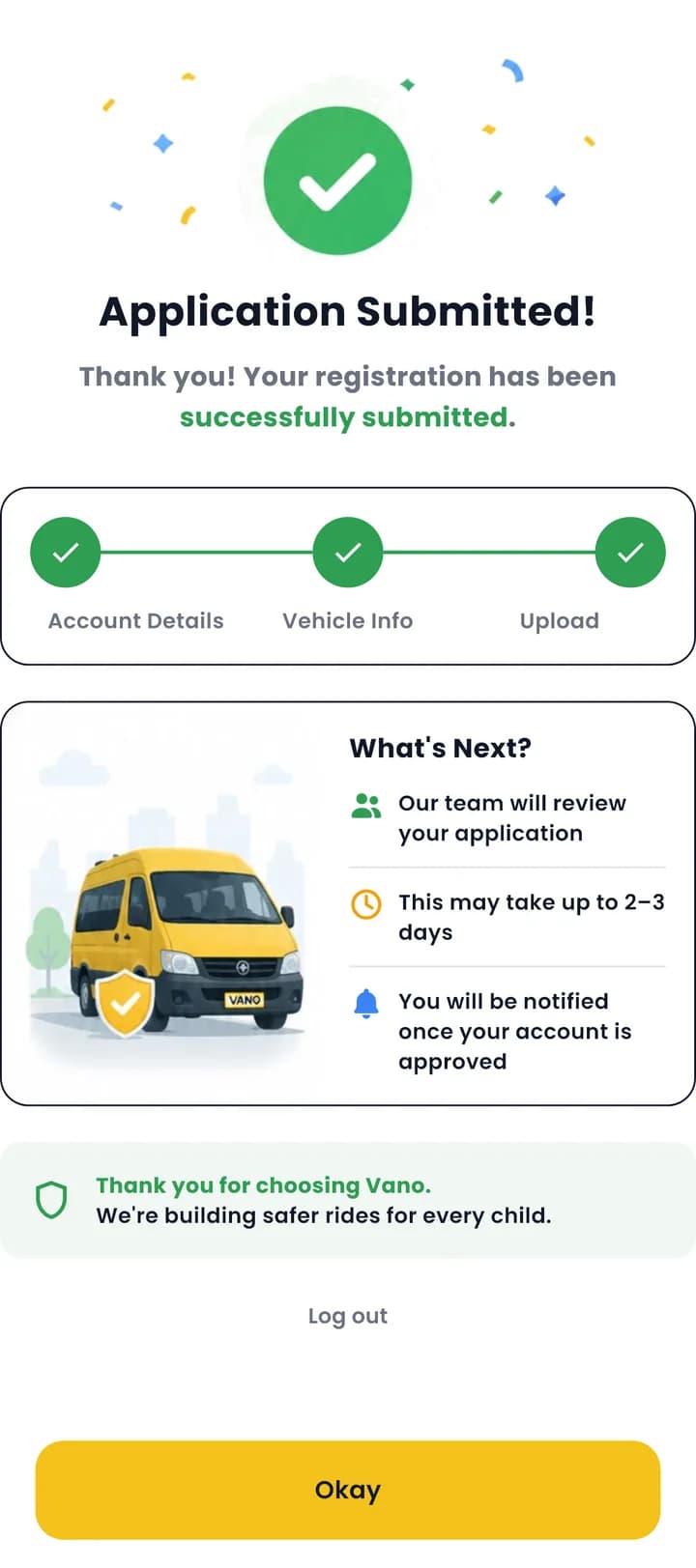
Sign in with your mobile number, fill in your details, add the van with a photo of its number plate, and upload your CNIC, driving licence and vehicle registration. Each step saves as you finish it, so you can stop and come back without losing anything.
- Free — registration has never cost anything on Vano
- A person reads every document, usually within a few working days
- If a scan is unclear you are told exactly what to re-upload
Tell us where you drive
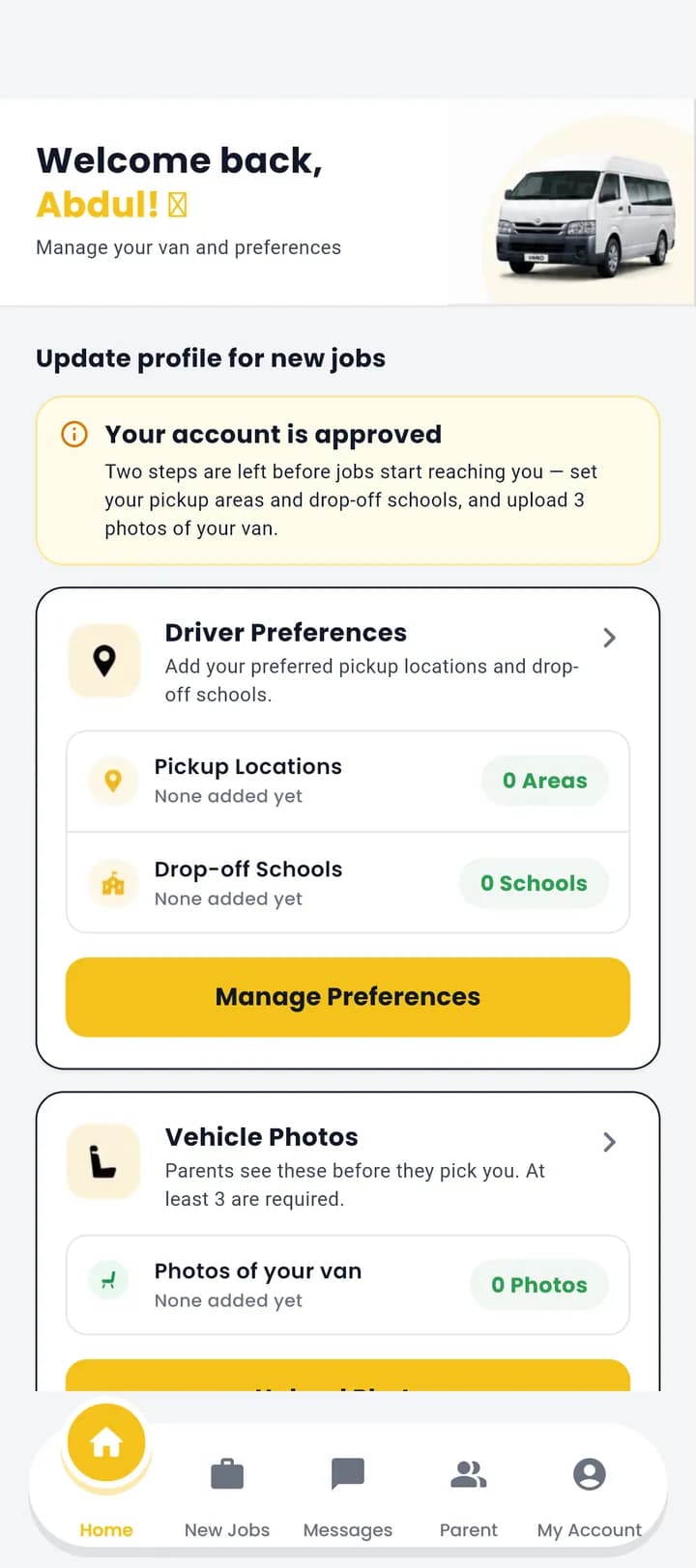
Approval opens the door; two more things open the feed. Set the areas you pick up from and the schools you already serve, and add at least three photos of the van. Parents look at the vehicle before they look at anything else, so this is not optional.
- Only routes matching your areas and schools reach you
- Three photos of the van, minimum
- You can change either at any time
Browse routes and name your price
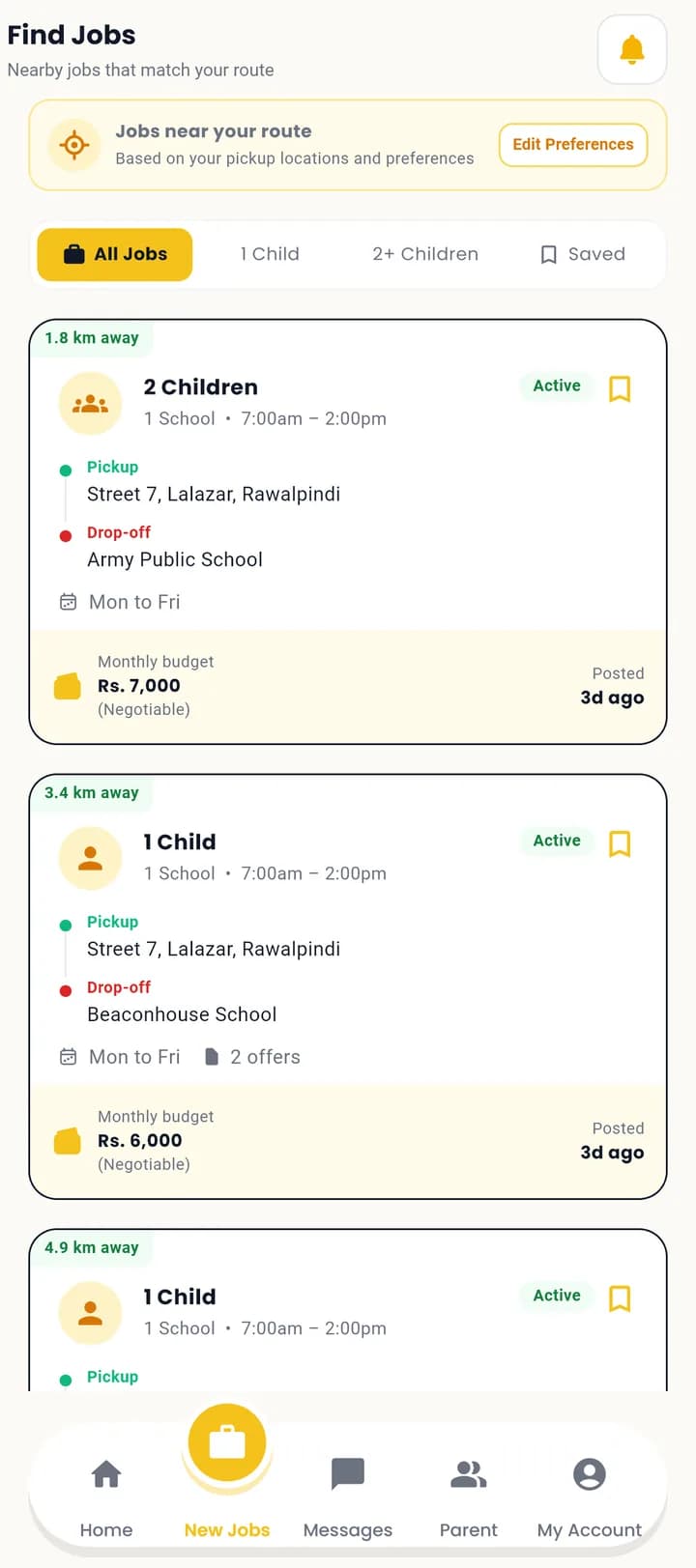
The feed shows nearby routes with the distance, the school, the days and times, how many children, and the parent's monthly budget. Open one to read the parent's notes and the school's real timings, then send an offer at the figure the work is worth to you, with a message.
- Filter by one child, two or more, or the routes you saved
- The budget is the parent's opening figure, not a ceiling
- Revise a pending offer, or withdraw it, any time
One button per child
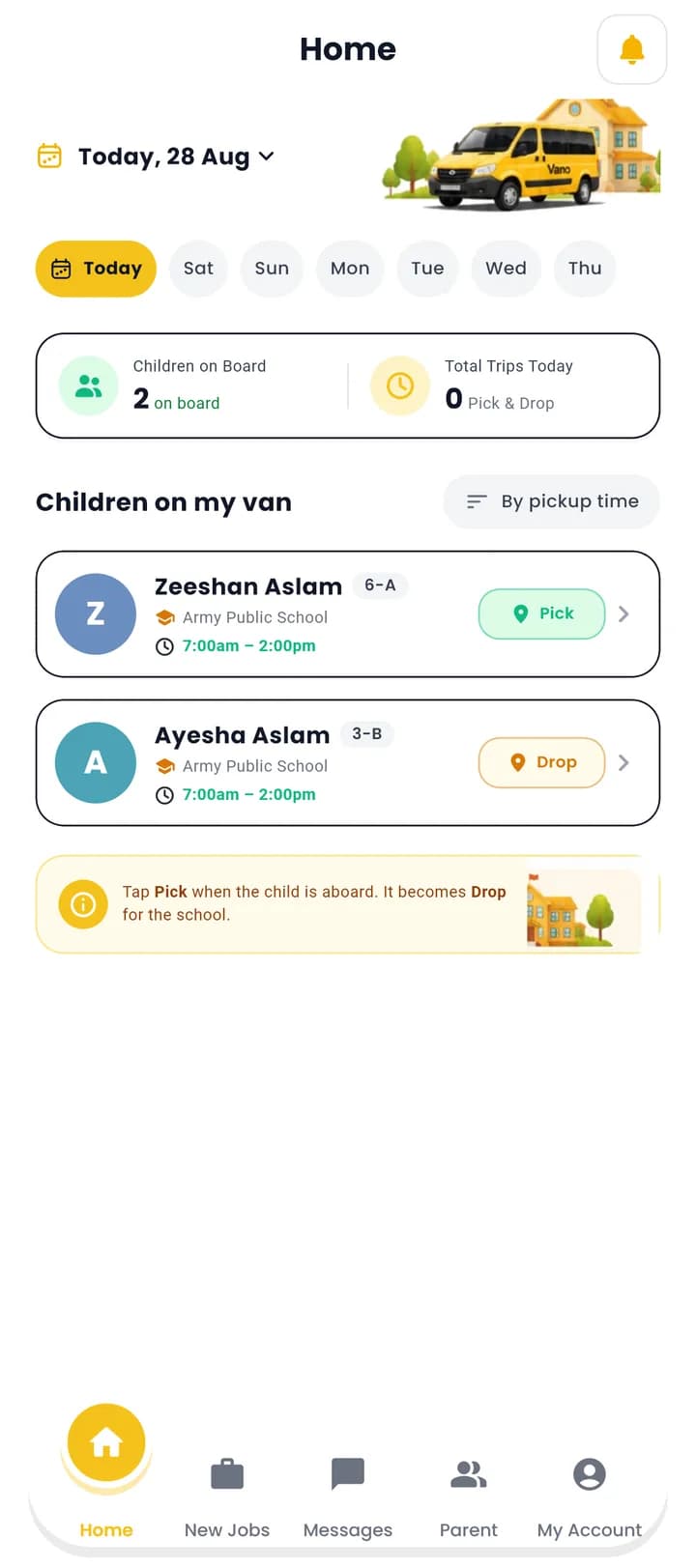
Your home screen is today's run: every child you carry, in pickup order, with a single button beside each. It says Pick until they are aboard, then Drop. Each tap notifies that child's family instantly — which is most of what they are paying for.
- Morning and afternoon legs, tracked separately
- The order is enforced by the server, so it cannot go wrong
- The day resets on Pakistan time, not on your phone's clock
The rest of it
What you'll need to upload
Approval is by hand, so make sure every scan is clear and readable the first time.
CNIC
Clearly readable, and matching the name on your profile.
Driving licence
Valid and unexpired. An expired licence is the most common reason for a rejection.
Vehicle registration
The registration book for the van you will actually be driving.
Photos of the van
The number plate at signup, then at least three photos of the vehicle before the job feed opens.
Driver FAQ
How long does approval take?
Does Vano take a cut of my earnings?
I'm approved — why can't I see any routes?
Can I drive for more than one family?
What if a parent counters my price?
What if my application is rejected?
Registration is free. It always will be.
Download the driver app, upload your documents once, and start bidding on school routes in your area.